Apple Immersive Video (AIV) represents the pinnacle of video technology. In this guide, we’ll show you how to get your best work streaming on SpatialGen and provide some general tips/advice.
1) Prepare Your Footage
SpatialGen is engineered to mirror your source footage with incredible accuracy. To ensure your audience experiences the full depth and clarity of Apple Immersive Video, your upload should represent your final, most polished vision. The beauty of the stream begins at the source.
The Storage Catch: To host a “King” (ProRes), you need a massive “Castle” (Storage). If you don’t have terabytes to spare, the “Prince” (High-bitrate MV-HEVC) is your best ally.
The Export: ProRes vs. MV-HEVC
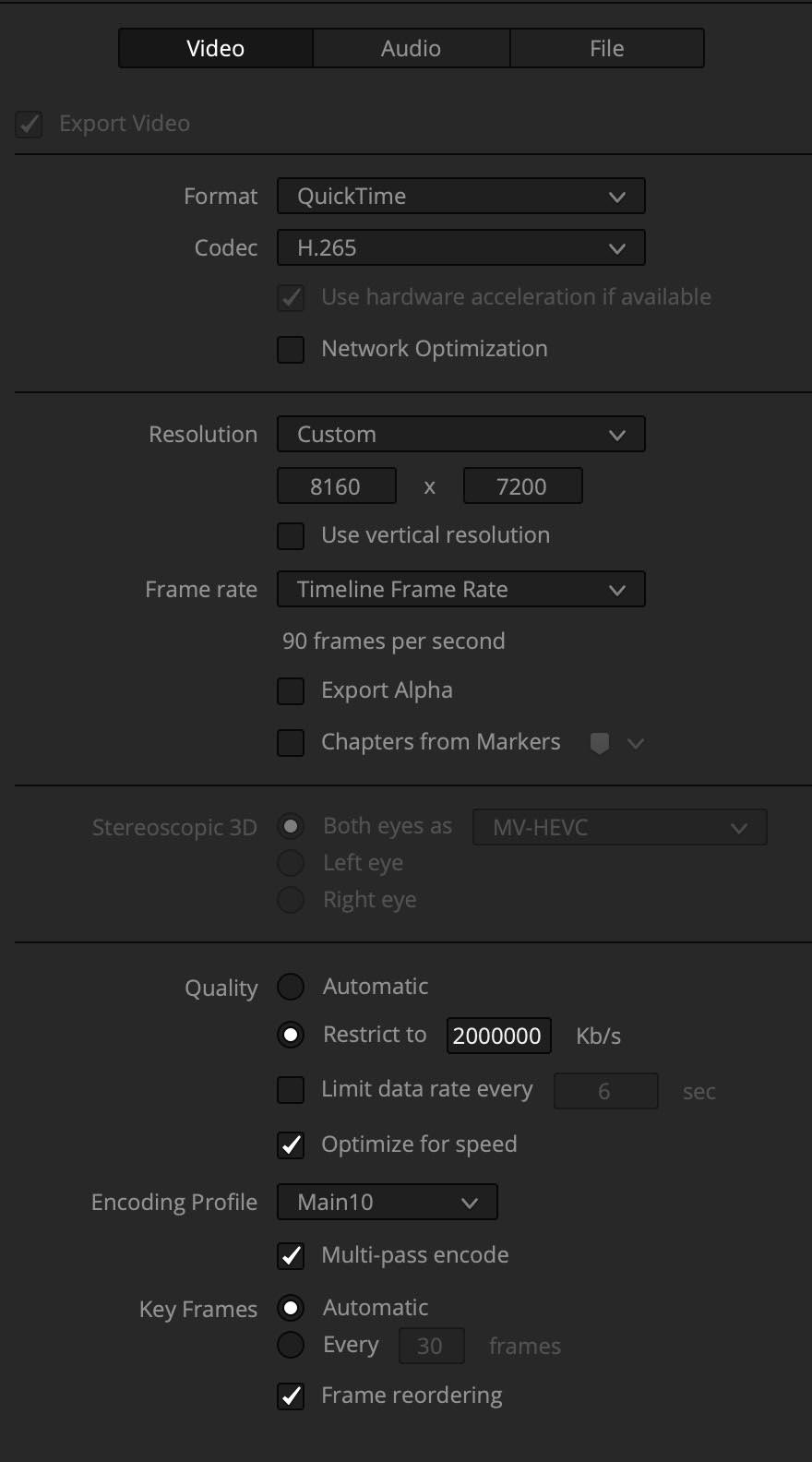
While ProRes remains the gold standard for archiving, exporting your video as a full-resolution MV-HEVC file at a high bitrate can provide similar results for stream creation. This approach dramatically slashes upload times by eliminating the need for multi-terabyte files.
- Denoising: We highly recommend denoising your footage before export. High-resolution immersive video magnifies grain, and a clean source ensures the SpatialGen Encoder can maintain the highest possible visual integrity.
We recommend a bitrate above 700 Mbps and a resolution of 8160 x 7200. For more information, fxguide has been working with Main Course Film to build a guide on this exact topic. You can read it here.
2) The Upload Process
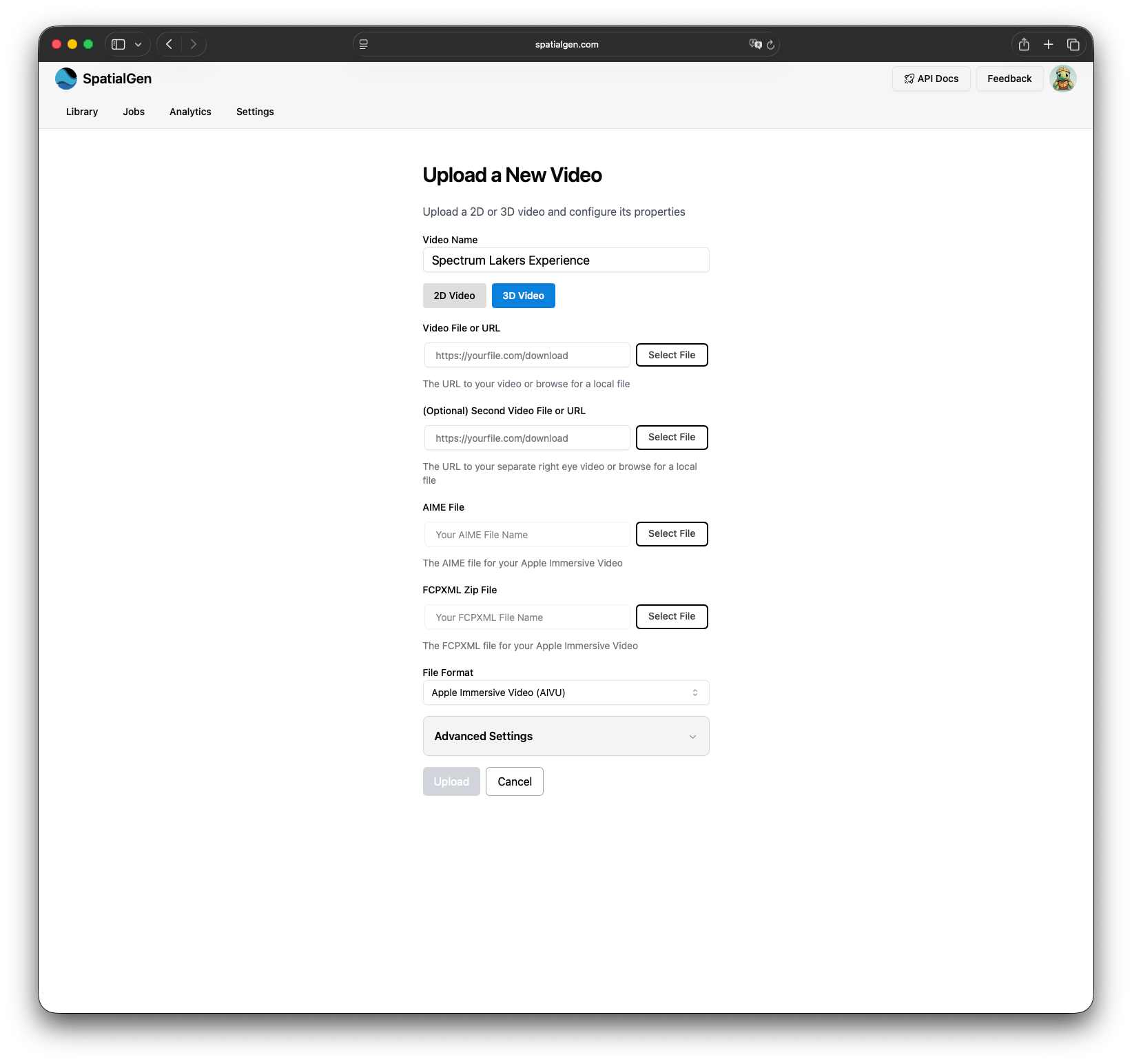
For high-capacity uploads—which can easily reach several terabytes—we recommend using the free SpatialGen Uploader app for maximum stability. You can also upload directly via the SpatialGen dashboard.
- Select Your Files: Drag and drop your MV-HEVC or ProRes file, AIME, and FCPXMLD into the uploader.
- Select File Format: Choose “Apple Immersive Video (AIVU)” as your file format.
- Start Upload: Our system handles the heavy lifting for you.
3) Selecting the Right Bitrate Ladder
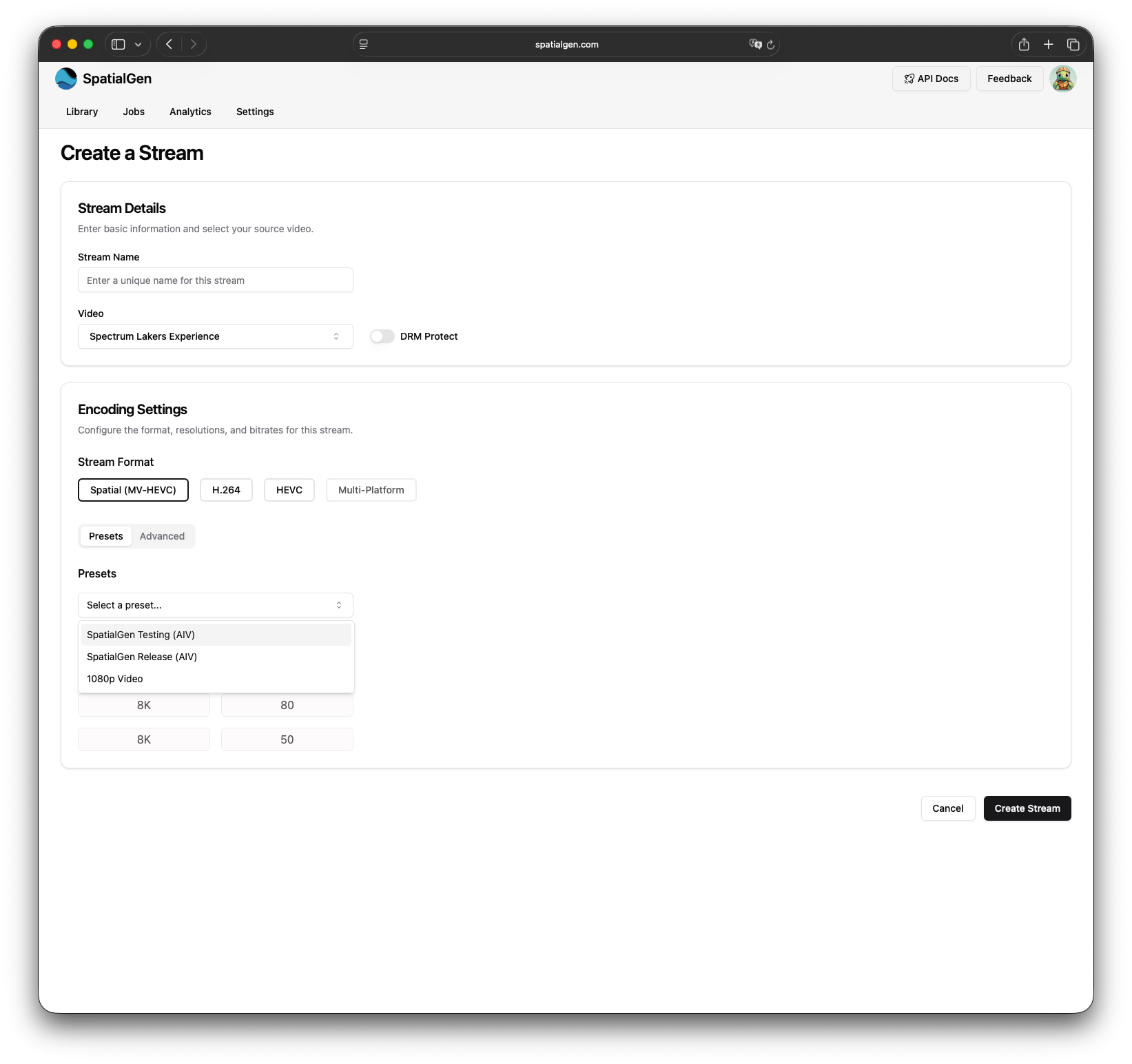
The final stage is generating your stream. On the New Stream page, we provide optimized bitrate ladders tailored for different stages of your workflow.
-
For Testing: Use the SpatialGen Testing (AIV) ladder. It features three rungs for faster processing, allowing you to QC your work quickly before a public debut.
-
For Launch: Once you’re satisfied, you can edit the stream and switch to the SpatialGen Release (AIV) preset.
The Efficiency Perk: When you edit your stream to go from Testing to Release, SpatialGen only processes the three additional rungs in the background. Your stream stays live and available while the higher-quality layers are added.
Deliver the Immersive Future
Creating Apple Immersive Video is a balance of massive data and meticulous detail. By following these preparation and upload steps, you ensure that your audience experiences your vision as close to your export as possible.
Ready to see your footage in the headset? Head to your Dashboard to start your next upload, or reach out to our team if you need custom bitrate configurations for your project.
SpatialGen
contact@spatialgen.com